
Priya, the export coordinator, adds a new rice mill in three parts: the supplier, the place of the mill with its pin on the map, and the rate template with the charges of the mill.
At the end of this page, the mill is a supplier, its pin is on the map, and the system can price its rice at each port.
Before you start
- You need the System Manager or the Purchase Manager role. Priya has both.
- The rice item, the bag sizes and the charge types must exist. See Rice items and variants and Charge types.
- The ports must exist. See Ports and their map pins.
- If the mill signed up on the website, keep its registration open. See Review a partner registration.
- The pictures of new records show the mill Godavari Rice Industries before Save. The pictures of saved records show the demo mill Sri Venkateswara Rice Mill at Peddapuram Mill.
Steps
Add the supplier
-
In the search bar, type Supplier and open the list.
-
Click Add Supplier. If a small dialog opens, click Edit Full Form.
-
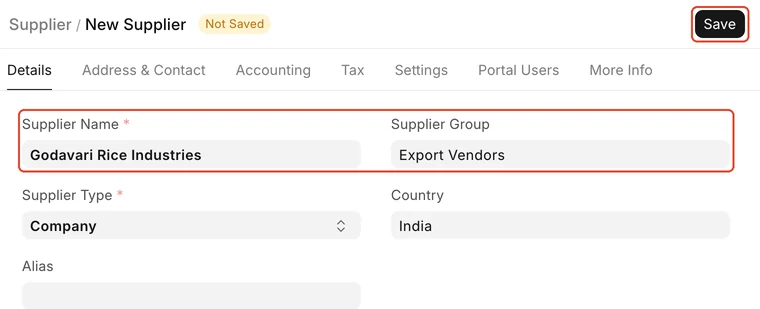
Type the Supplier Name, for example "Godavari Rice Industries".
-
In Supplier Group, select Export Vendors. Keep Supplier Type as Company and Country as India.
-
Click Save.
Add the place of the mill
-
In the search bar, type Supply Location and open the list.
-
Click Add Supply Location. If a small dialog opens, click Edit Full Form.
-
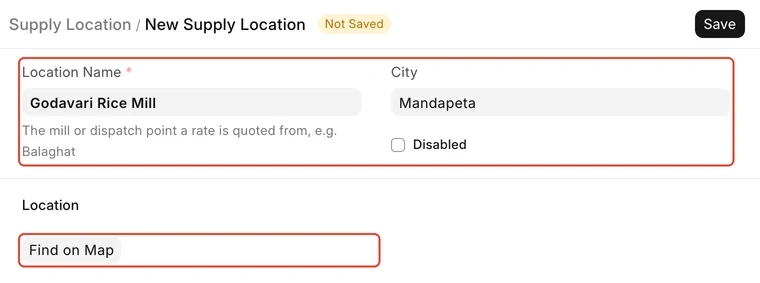
Type the Location Name, for example "Godavari Rice Mill". Type the City, for example "Mandapeta". Leave Disabled clear.
-
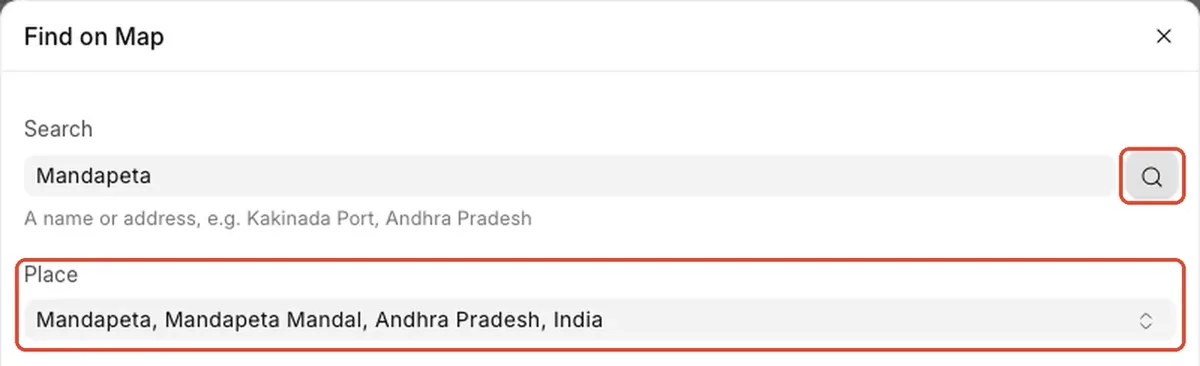
Click Find on Map. The Find on Map dialog opens, with the city in Search.
-
Click the search button next to Search. Place shows the first place that the system found. To see the other places, click Place.
-
Select the correct place and click Save. The dialog closes and the supply location saves with the pin.
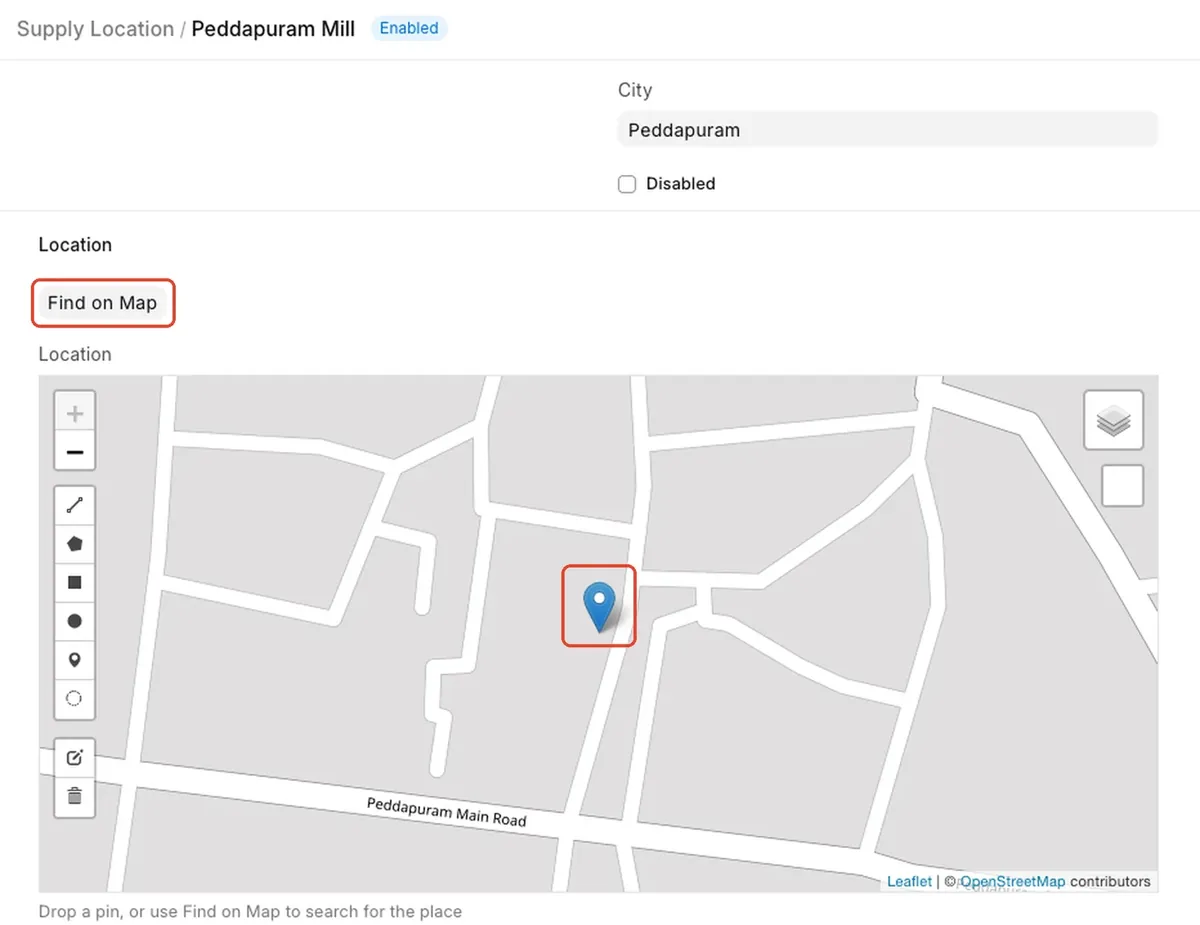
The Location map shows the pin of the mill. You can also put the pin by hand: click the marker tool on the left of the map, then click the place of the mill.
Add the rate template
The rate template tells the system how to price the rice of the mill: the rice grades it sells, the bags it packs in and the truck freight to each port. Every amount is per MT. Each amount is added to the rate that the mill quotes each day.
-
In the search bar, type Item Rate Template and open the list. Click Add Item Rate Template.
-
Fill the top of the form:
- Item: the rice item, for example IR-64. The list shows only items that have variants (grades).
- Supplier: the mill.
- Source Location: the supply location of the mill.
- Currency: INR.
- Pack Basis: Offset per pack. The mill quotes a rate for one pack, and each other pack adds to it or takes from it.
-
In the table Charges, click Add row for each charge. Charge Type sets what Applies To shows:
- Grade: in Applies To, select each grade that the mill sells, for example IR-64-Parboiled-10%. Type the Amount that the grade adds to the rate. Type 0 for the grade that the mill quotes.
- Packing: in Applies To, select each bag size, for example 50 KG. Type 0 for the pack that the mill quotes.
- Inland Freight: in Applies To, select each port that the mill sends rice to. Type the truck freight per MT.
-
Click Save.
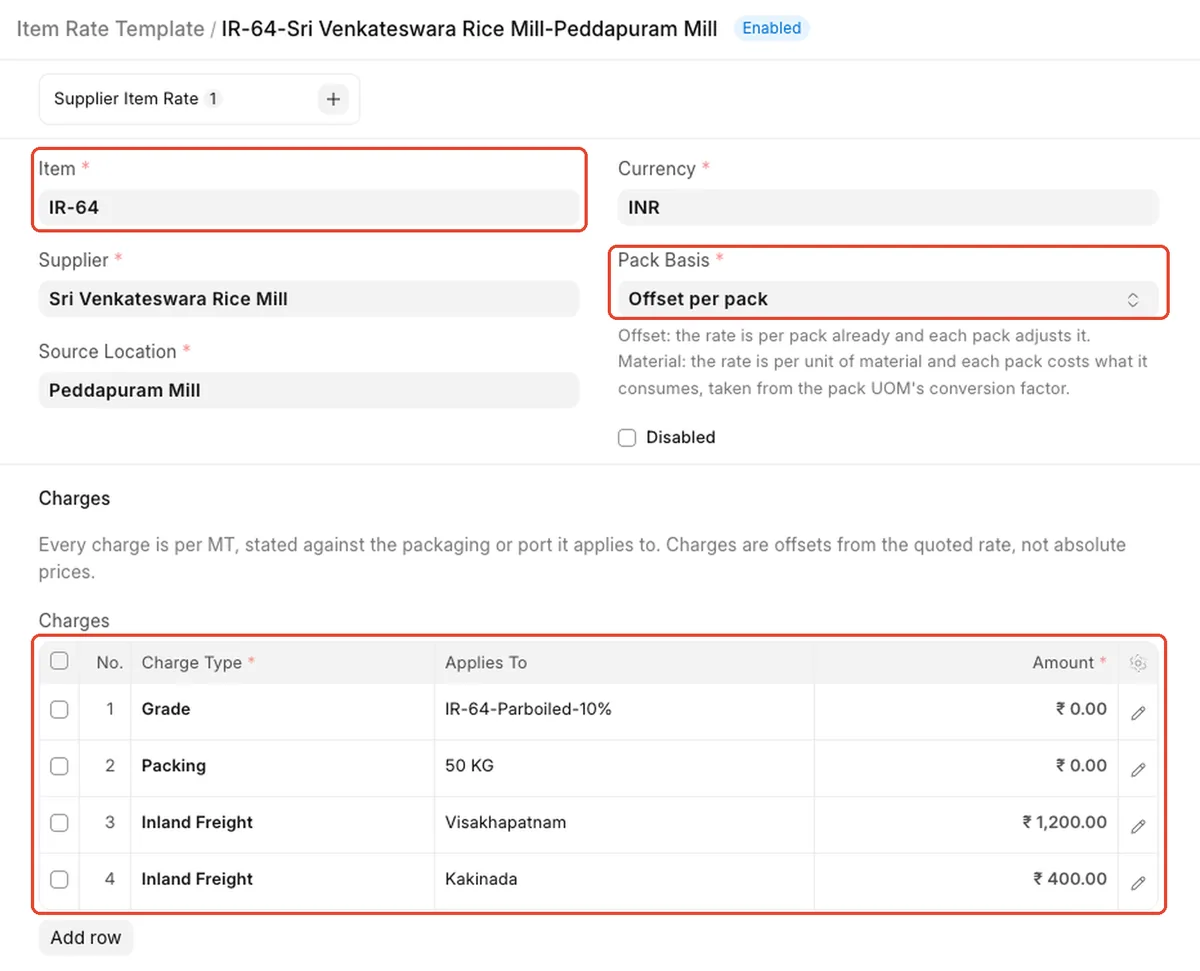
In the demo, the template of Sri Venkateswara Rice Mill has truck freight of ₹ 1,200 per MT to Visakhapatnam and ₹ 400 per MT to Kakinada.
Check it worked
-
The supplier, the supply location and the rate template save with no error message.
-
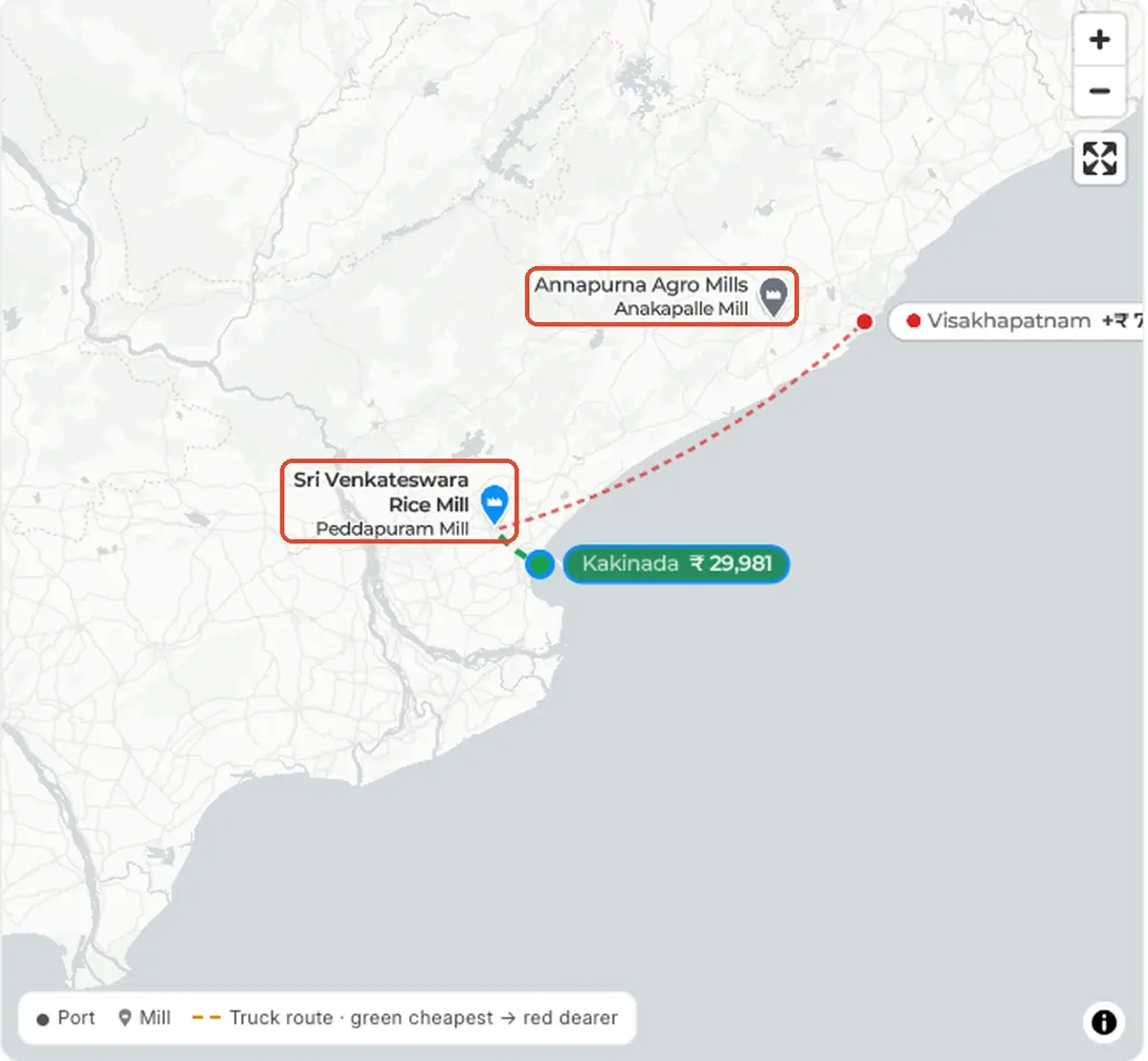
In the left sidebar, under Shipments, click Cheapest Port Board. A new mill shows on the board only after its first rate for the day. Then its pin shows on the map with the name of the mill and the supply location. See Import mill rates.
Good to know
- Make one supply location for each place that the mill sends rice from. Make one rate template for each item, mill and supply location.
- The rate template needs at least one Packing row, even with the amount 0. If it has none, the system shows "Charge for at least one pack UOM, even at zero: the grid is built from these rows."
- To stop using a rate template, tick Disabled and click Save. To stop using a supply location, tick Disabled on it.
- The second demo mill, Annapurna Agro Mills, has its rice at Anakapalle Mill. Open its supply location and rate template to see a second example.