
Give a mill access to the supplier portal
A mill can send its daily rate on the website, in the supplier portal. Priya, the export coordinator, makes a user for the rates desk of the mill and links the user to the mill. The mill user sees only the rates of its own mill.
At the end of this page, the mill user can sign in and see Your rates.
Before you start
- Finish Add a rice mill.
- You need the System Manager role. Priya has it.
- Get the email address of the person who sends the rates at the mill.
- The pictures show the demo mill user Suresh Rao (rates@svricemill.example.com), the owner of Sri Venkateswara Rice Mill.
Steps
-
In the search bar, type User and open the list. Click Add User. If a small dialog opens, click Edit Full Form.
-
On the tab User Details, type the Email, the First Name and the Last Name of the mill user. Keep Send Welcome Email ticked. Do not tick any role.
-
Click Save.
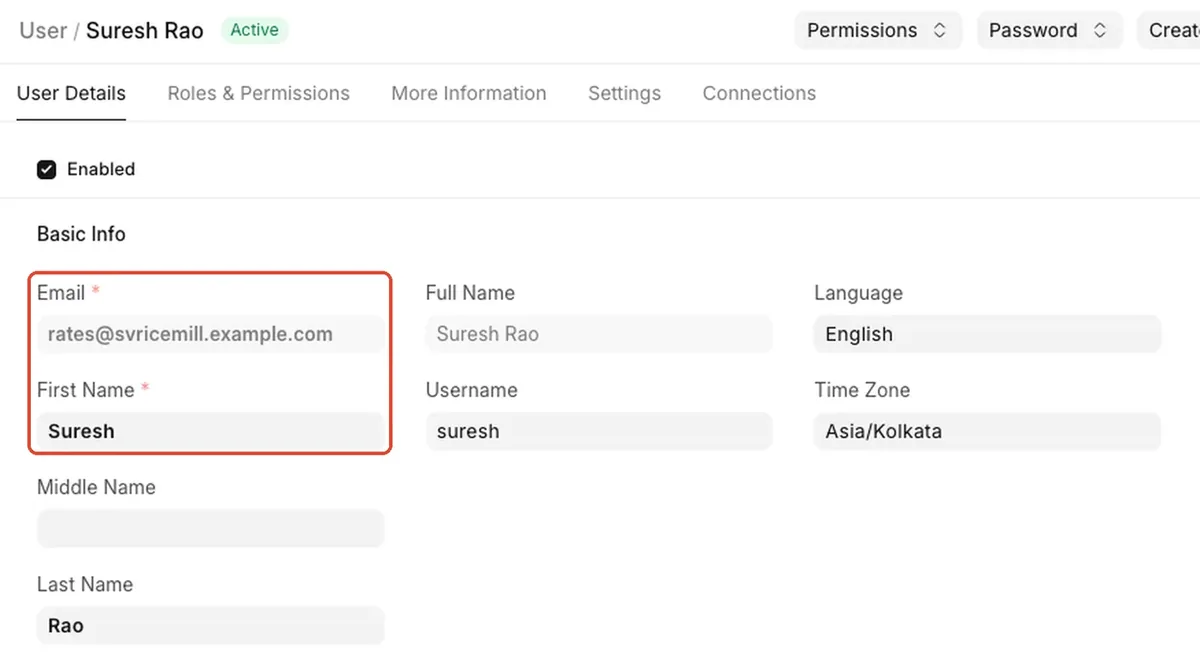
The system sends the welcome email to the mill user, with a link to set a password. Your administrator must set up the outgoing email for this.
-
In the search bar, type Supplier and open the list. Open the mill, for example Sri Venkateswara Rice Mill.
-
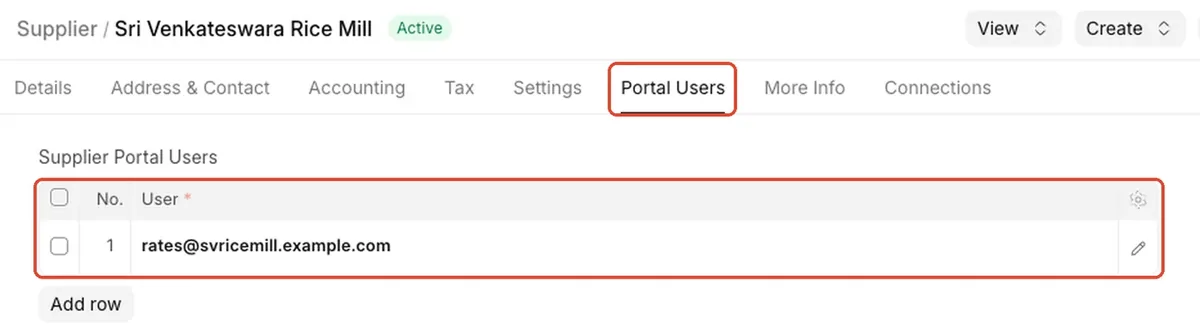
Click the tab Portal Users.
-
In the table Supplier Portal Users, click Add row. In User, select the email of the mill user.
-
Click Save. The message "Added Supplier Role to User …" shows.
Check it worked
-
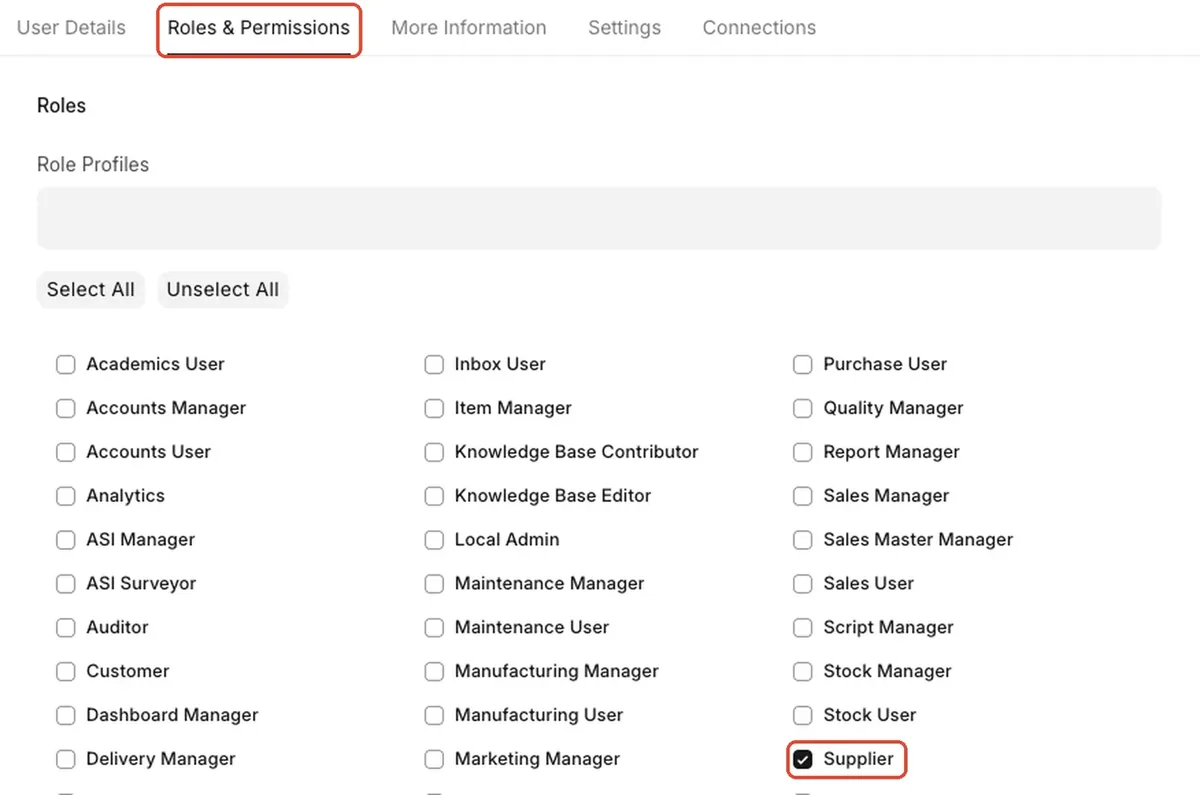
Open the mill user again. On the tab Roles & Permissions, Supplier is ticked.
-
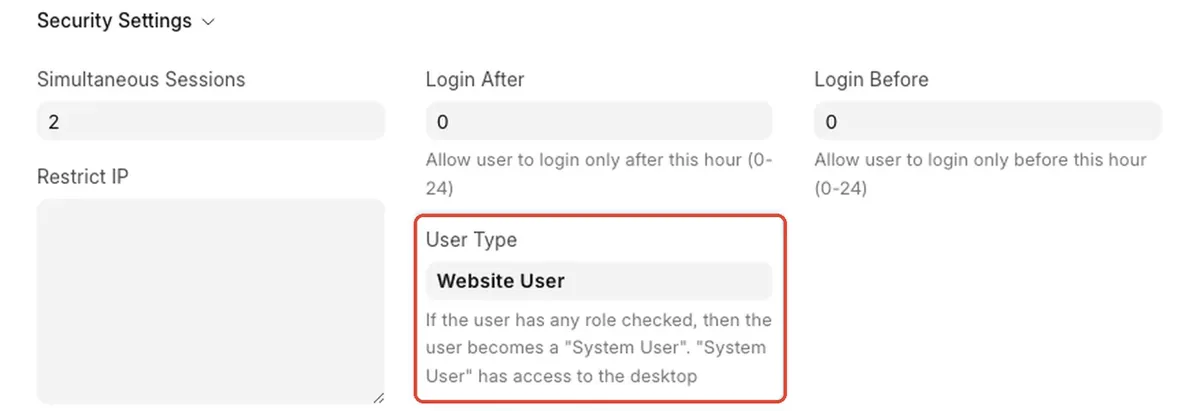
On the tab Settings, open Security Settings. User Type shows Website User. A website user cannot open the Desk.
-
The mill user signs in. The supplier portal opens at
/supplier, with the page Your rates and the name of the mill under it. Already quoted shows the rates that the mill sent before.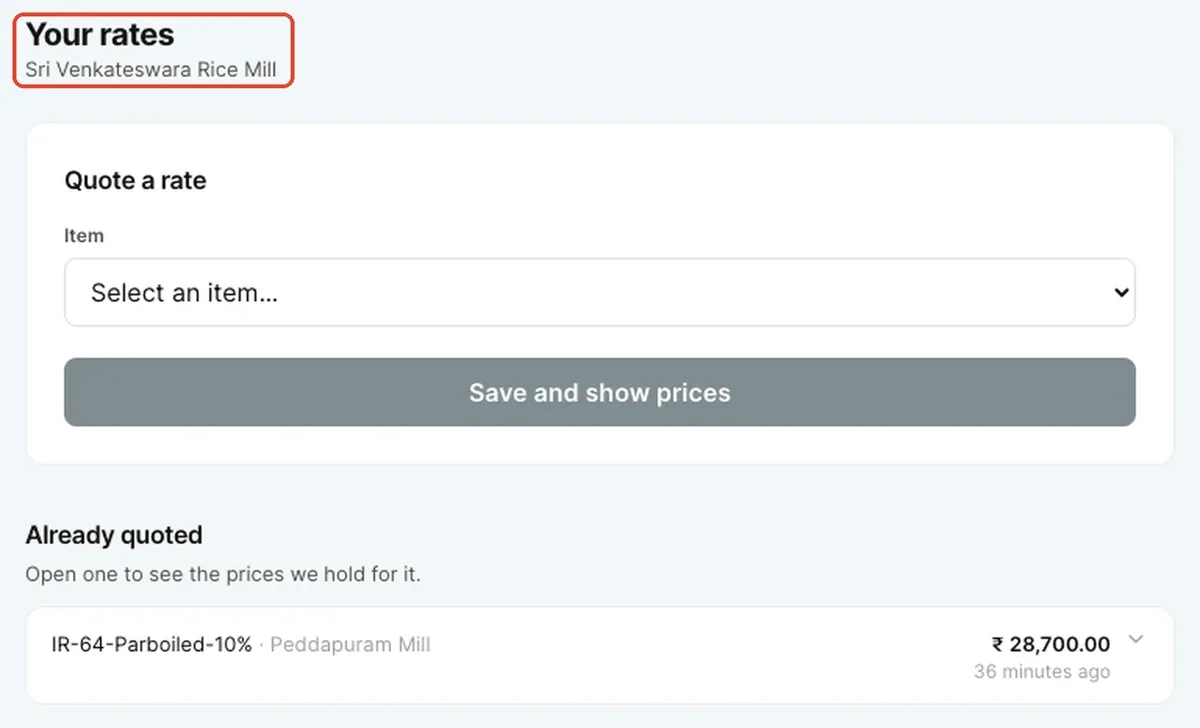
Good to know
- Without the System Manager role, the system does not add the role. It shows "Please add Supplier role to user …". Ask your administrator to tick Supplier on the user.
- One mill can have more than one portal user. Add one row for each person in Supplier Portal Users.
- To stop a mill user, open the user. On the tab User Details, clear Enabled and click Save.
- The mill user sends rates as shown in Sign in to the supplier portal.