
Customs tariff (HS) numbers
The customs tariff number is the HS code of the goods. Customs uses it to know what is in the container. The administrator adds the HS code once. Then you select it on the rice item.
At the end of this page, your HS code is selectable in the Customs Tariff Number field of an item.
Before you start
- You need the Stock Manager role. The Administrator user has all roles.
- Get the correct HS code from your customs broker. 10063010 is the HS code the demo uses for its parboiled rice.
- The demo data has the HS code 10063010. Open it to see a finished one. See Install and remove demo data.
Steps
See the finished HS code
-
In the search bar, type Customs Tariff Number and open the list.
-
Open 10063010. The number is the title of the form. Description tells what the goods are.

Add your HS code
-
In the list, click Add Customs Tariff Number.
-
Fill the fields:
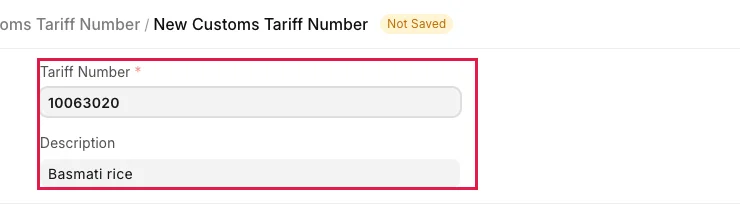
- Tariff Number: the HS code, with digits only, for example "10063020". The number is the name of the record.
- Description: what the goods are, for example "Basmati rice".
-
Click Save.
Check it worked
-
Open the rice item, for example IR-64-Parboiled-10%. See Rice items and variants.
-
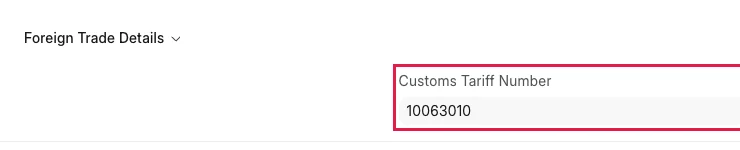
Open the Purchasing tab and click Foreign Trade Details. Your HS code shows in the list of Customs Tariff Number. The demo item shows 10063010.
Good to know
- Make one customs tariff number for each HS code that you ship. Many items can use the same number.
- Set the HS code on the rice template, not on each variant. When you save the template, the system copies it to every variant. See Rice items and variants.
- The item also has the field HSN/SAC, for GST. In the demo, it has the same number, 10063010. The documents print the number from HSN/SAC, or from HSN/HS Code if you fill it, not from Customs Tariff Number. Keep them the same.
Next
Last updated 2 weeks ago
Was this helpful?