
A mill adds charges to the rate that it quotes each day, for example a charge for the bag size or the truck freight to a port. A charge type tells the system what each charge depends on: the item, the pack (unit of measure) or the port. The administrator keeps the list of charge types.
At the end of this page, your charge type shows in the Charges table of an item rate template.
Before you start
- You need the System Manager role.
- The demo data has three charge types: Grade, Packing and Inland Freight. Open Packing and Inland Freight to see two finished ones. See Install and remove demo data.
Steps
See two finished charge types
-
In the search bar, type Charge Type and open the list.
-
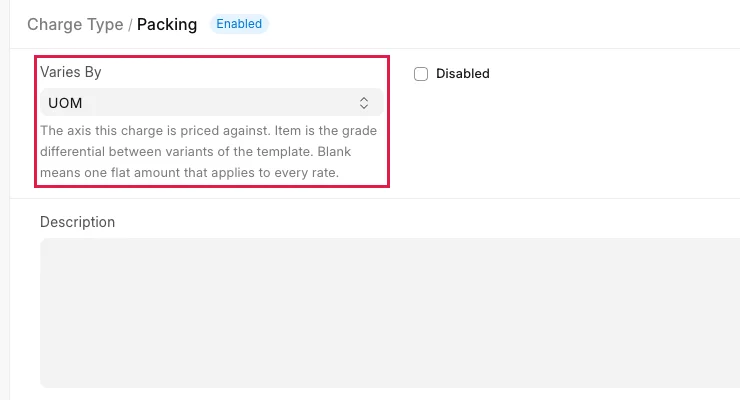
Open Packing. Varies By is UOM: the amount changes with the bag size, for example 50 KG.
-
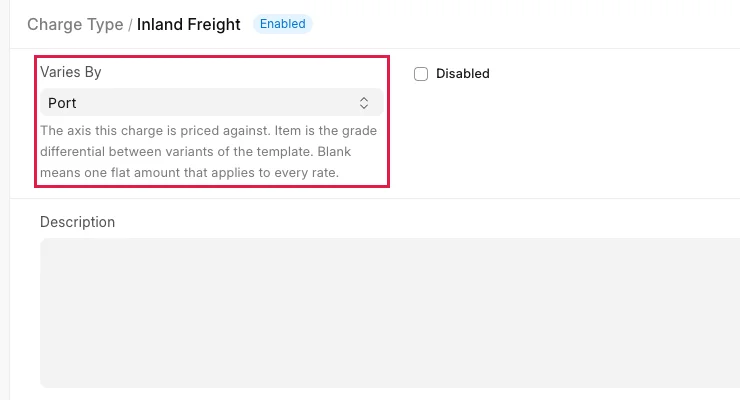
Go back to the list and open Inland Freight. Varies By is Port: the amount is the truck freight from the mill to each port.
Add your charge type
- In the list, click Add Charge Type.
- Fill the fields:
| Field | What it does |
|---|---|
| Charge Type | The name of the charge, for example "Loading". The name is the name of the record. |
| Varies By | What the amount depends on. Item: one amount for each grade of rice. UOM: one amount for each pack. Port: one amount for each port. Empty: one amount for every rate. |
| Disabled | Tick it to stop using the charge type. |
| Description | Optional. A note about the charge. |
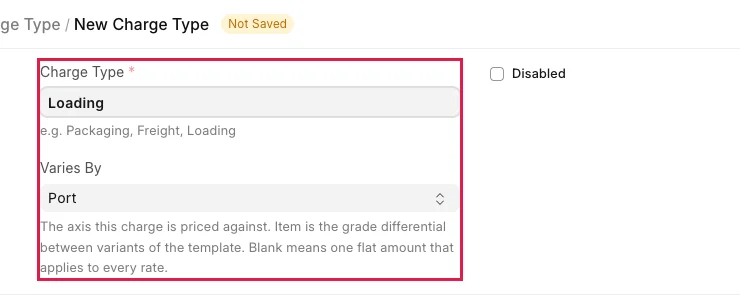
- Click Save.
Check it worked
-
In the search bar, type Item Rate Template and open the list. Open an item rate template, for example IR-64-Sri Venkateswara Rice Mill-Peddapuram Mill. In the Charges table, click Add row.
-
Select your charge type in Charge Type. Applies To now asks for the record that matches Varies By: a grade, a pack or a port.
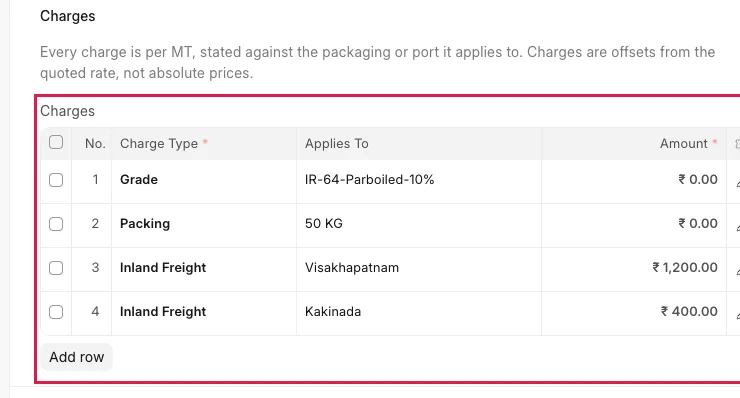
To add the charges of a mill, see Add a rice mill.
Good to know
- Each charge type is used in the same way for all mills. The amount is on the rate template of each mill, not on the charge type.
- Every amount in a rate template is per MT, in the currency of the rate template.
- The demo values: Grade varies by Item, Packing by UOM and Inland Freight by Port.
- A rate template needs at least one Packing row, even with the amount 0. The system makes the grid of rates from these rows.
- Do not delete a charge type that rate templates use. Tick Disabled instead.