
Meena gets the plan from Priya. Meena sends Ravi to the mill on 24-11-2026 and 25-11-2026.
At the end of this page, both container inspections are in the My Inspections list of Ravi, in the Assigned step.
Before you start
Finish Create the inspections. Meena signs in with the ASI Manager role (see Sign in and find your way). The picture on this page shows the plan of the Planned shipment (STP-2026-0009).
Steps
-
In the search bar, type Stuffing Plan and open the plan of the Planned shipment (STP-2026-0009).
-
Click Inspections > Assign Day.
-
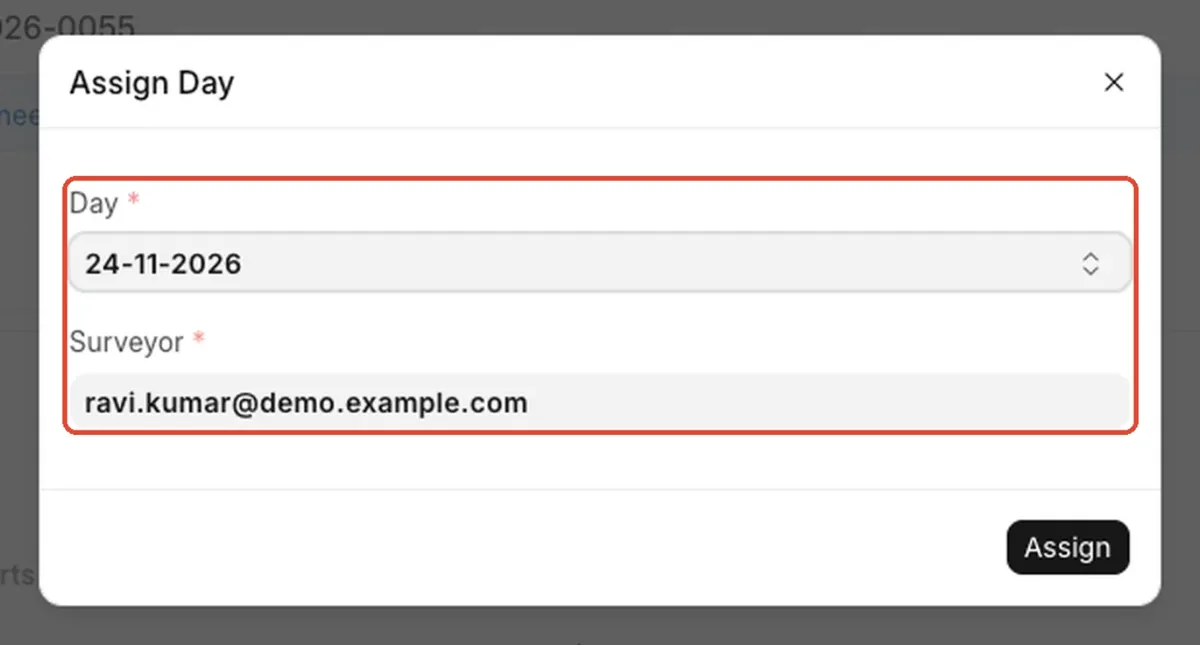
In the Assign Day dialog, enter the values:
- Day: select 24-11-2026.
- Surveyor: shows the user of Ravi, from the Default Surveyor of that day. Change it only to send another surveyor.
-
Click Assign. The system shows "Day assigned to" and the user of Ravi.
-
Do steps 2 to 4 again for 25-11-2026.
-
Priya signs in. On the plan, under Inspections, she clicks Container Inspection, opens each one and clicks Actions > Assign. The step changes to Assigned, and the shipment status changes to Inspecting.
Check it worked
Ravi opens the My Inspections workspace and clicks Containers, then removes the Planned Date filter. The list shows the two container inspections in the Assigned step.
Good to know
Assign Day assigns every container inspection that has that Planned Date. If a heap is already linked to these container inspections, it assigns the heap too. It removes the open assignments of other users from these documents. The step of the container inspection does not change.
If the dialog shows "Add the stuffing days first.", add rows under Loading Days on the plan.