
Create the inspections
Each container needs its own check at the mill. Priya makes one container inspection for each container.
At the end of this page, the plan has two container inspections, one for each loading day.
Before you start
Finish Make the stuffing plan. Priya signs in as shown in Sign in and find your way.
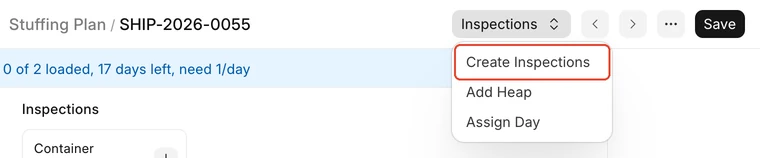
The first picture shows the plan of the Planned shipment (STP-2026-0009), which has no container inspections yet.
Steps
-
In the search bar, type Stuffing Plan and open the plan of the Planned shipment (STP-2026-0009).
-
Click Inspections > Create Inspections.
-
The system shows "2 Container Inspections created". If every container already has an inspection, it shows "Every container already has an inspection".
Check it worked
- At the top of the stuffing plan, under Inspections, click Container Inspection.
- The list shows two container inspections in the Planned step.
- The first has Planned Date 24-11-2026. The second has Planned Date 25-11-2026.
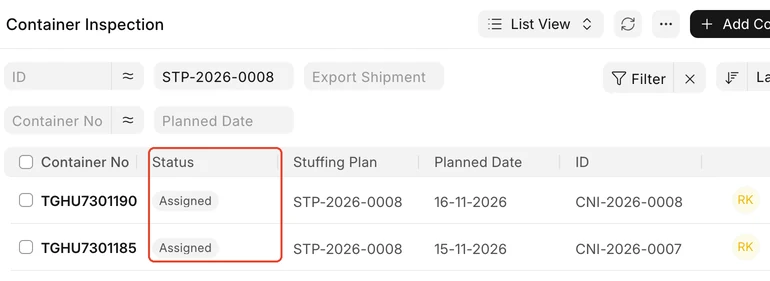
Right after Create Inspections, the new rows are in the Planned step. They move to Assigned after Priya clicks Actions > Assign on each one, as shown in Assign the day.
The picture shows the two container inspections of the Inspecting shipment (CNI-2026-0007 and CNI-2026-0008, plan STP-2026-0008). They are already in the Assigned step. Their Planned Date is 15-11-2026 and 16-11-2026.
Good to know
The system gives the dates in day order. Each day gets as many container inspections as its Containers Planned. A container inspection that does not fit in a day gets no Planned Date.
The shipment status changes to Inspecting only when the first heap is added, or when a container inspection leaves Planned.