
Make the stuffing plan
The shipping line opens the gate on 1 December. Priya plans which days the containers are loaded at the mill.
At the end of this page, the shipment has a stuffing plan with two loading days.
Before you start
Finish Complete the shipment details. Priya signs in as shown in Sign in and find your way.
The pictures on this page show the Planned shipment (SHIP-2026-0055). In the demo, this shipment and its stuffing plan are already filled with the values on this page. To practise, use your own shipment from Make the order and the shipment, with your own dates and values.
Steps
-
In the search bar, type Export Shipment and open the list. Open your shipment. In the demo, the Planned shipment shows the result of these steps.
-
Open the Booking tab and enter your dates. In the demo they are:
- Gate Open Date: 01-12-2026.
- Last Loading Date: 28-11-2026.
-
Click Save. The system sets Free Pickup Date to 9 days before the Gate Open Date. In the demo it is 22-11-2026.
-
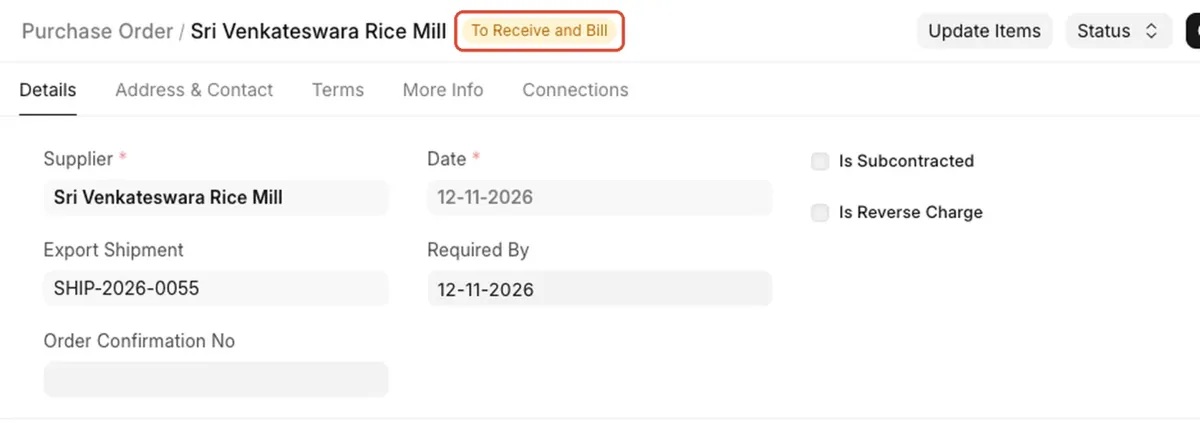
In the search bar, type Purchase Order and open the list. Filter the list by Export Shipment, and open the rice Purchase Order of the shipment. Click Submit.
In the demo data the rice Purchase Order (PUR-ORD-2026-00018) is already submitted. The picture shows it after Submit: the status is To Receive and Bill.
-
Go back to the shipment and click Create > Stuffing Plan. The system opens the new stuffing plan.

-
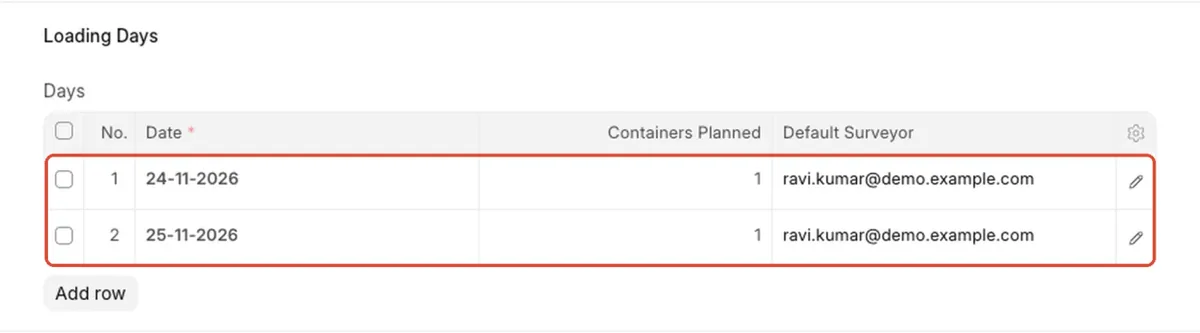
On the stuffing plan, under Loading Days, add one row for each loading day. In the demo they are:
- Date: 24-11-2026. Containers Planned: 1. Default Surveyor: Ravi Kumar.
- Date: 25-11-2026. Containers Planned: 1. Default Surveyor: Ravi Kumar.
The Default Surveyor cell shows the email address of the surveyor.
-
Click Save.
Check it worked
The stuffing plan shows a blue line at the top, for example "0 of 2 loaded, 17 days left, need 1/day". The number of days left depends on today's date and the Last Loading Date.
Good to know
The system fills Mill, Supply Location, Item, Company and No. of Containers from the shipment.
Submit the rice Purchase Order before the first heap. Without it, Add Heap stops with "Submit the Purchase Order first: … is still a draft." If the shipment has no Purchase Order for a supplier, the shipment shows Create > Purchase Orders. Click it to make the order.