
The administrator of Navchetan Agro Exports keeps the default values of the system in one place: Export Settings. Every new costing, the Cheapest Port Board, the export documents and the vessel tracking read their values from it.
At the end of this page, you know what each tab of Export Settings holds, and which values you must check before you go live.
Before you start
- Sign in as a user with the System Manager role. On the demo, Priya has this role.
- Make the company of the exporter first. Export Settings links to it. See Company, address, bank account, fiscal year.
Steps
-
Click Export Settings in the left sidebar of the Export Management workspace. The Export Settings page opens on the Costing & FX tab.
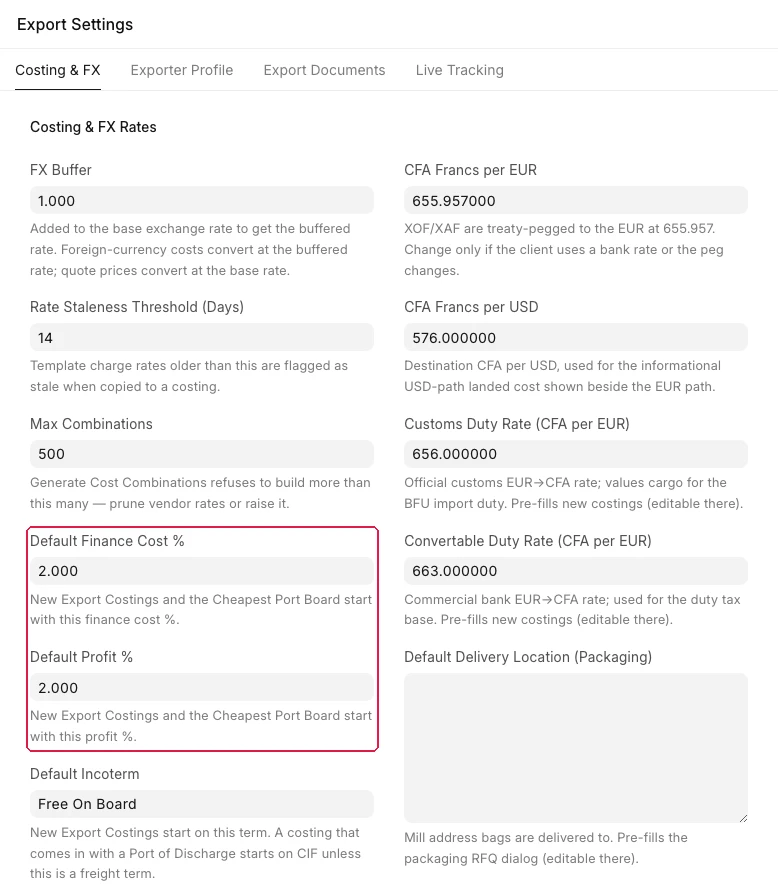
| Field | What it does | Demo value |
|---|---|---|
| FX Buffer | An amount that the system adds to the exchange rate. Costs in a foreign currency use the rate plus the buffer. Quote prices use the rate without the buffer. | 1 |
| Rate Staleness Threshold (Days) | A charge rate older than this number of days gets a stale flag when it comes into a costing. | 14 |
| Max Combinations | The highest number of port, mill and line combinations that one costing can make. | 500 |
| Default Finance Cost % | The finance cost % that a new costing and the Cheapest Port Board start with. | 2 |
| Default Profit % | The profit % that a new costing and the Cheapest Port Board start with. | 2 |
| Default Incoterm | The term that a new costing starts with. | Free On Board |
| CFA Francs per EUR | The fixed rate between the CFA franc and the euro. | 655.957 |
| CFA Francs per USD | The CFA franc rate for the US dollar. The costing uses it for the landed cost in US dollars. | 576 |
| Customs Duty Rate (CFA per EUR) | The customs rate that values the cargo for the import duty. A new costing starts with it. | 656 |
| Convertable Duty Rate (CFA per EUR) | The bank rate for the duty tax base. A new costing starts with it. | 663 |
| Default Delivery Location (Packaging) | The address of the mill where the bags go. | empty |
-
Click the Exporter Profile tab. The values on this tab print on the proforma invoice, the commercial invoice and the packing list. On the demo, Exporter Company is Navchetan Agro Exports Pvt Ltd and Receiving Warehouse is Stores - NAEPL.
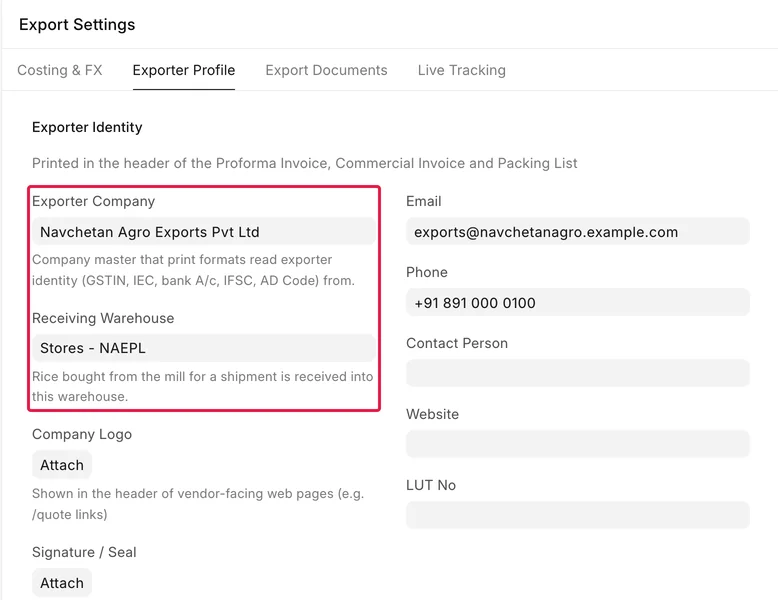
| Section | What it holds |
|---|---|
| Exporter Identity | Exporter Company (the company of the exporter), Receiving Warehouse (the warehouse that gets the rice from the mill), Company Logo, Signature / Seal, Email, Phone, Contact Person, Website and LUT No. |
| Terms & Bank | Contract Terms (the terms of the sale contract) and Document Terms (one row for each document type and its terms). |
| Customs & Bank Details | This section is closed when the tab opens. Click its name to open it. It holds the values for the shipping bill: State of Origin, District of Origin, Exporter Type, GSTN Type, CHA Name, CHA Code, Forex Bank A/c, Branch and Branch Sl No. |
-
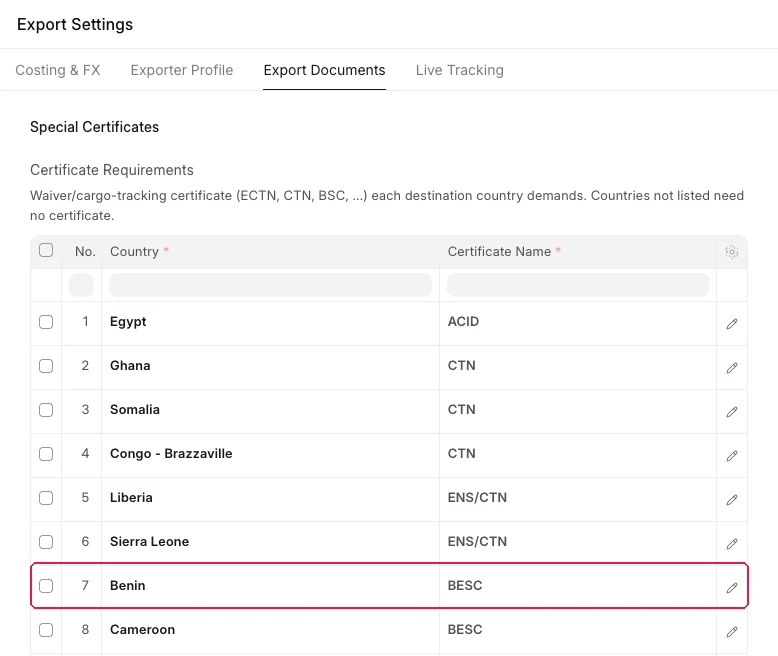
Click the Export Documents tab. The Certificate Requirements table shows the certificate that each destination country asks for, for example BESC for Benin. A country that is not in the table needs no certificate.
-
Click the Live Tracking tab. Tracking Provider tells the system where to get the tracking data for the shipments.
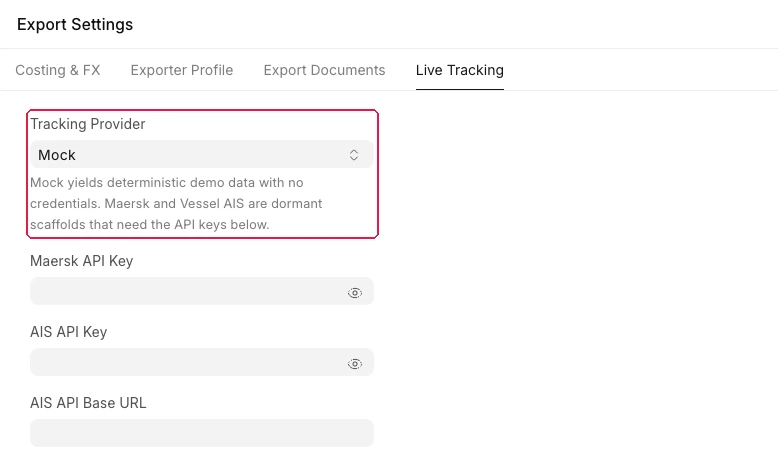
| Tracking Provider | What it does |
|---|---|
| Mock | Gives sample tracking data. It needs no key. The demo uses it. |
| Maersk | Needs the Maersk API Key. It is not ready to use yet. |
| Vessel AIS | Needs the AIS API Key and the AIS API Base URL. It is not ready to use yet. |
Keep Mock.
- To change a value, type the new value and click Save. The values apply to the records that you make after you save. The records that you made before keep their values.
Check it worked
Open the Export Costing list and click + Add Export Costing. On the new costing, Finance Cost % and Profit % show the default values from Export Settings. On the demo, both show 2. Close the new costing without saving it.
Good to know
- Only a user with the System Manager role can change Export Settings.
- A costing keeps the values that it started with. To use a new Customs Duty Rate on a costing that you made before, change the rate on the costing.
- Max Combinations stops a costing that has too many rates. If a costing shows that it has too many combinations, remove the rates that you do not need, or make the number higher.
- Keep the API keys secret. Do not send a key by email or in a chat.
- The Demo menu at the top of this page installs and removes the demo data. See Install and remove demo data.
- The vessel tracking is on the shipment. See Track the vessel.