
An item packaging tells the system how the rice is packed: the bag size, the bag, and how many bags go in one container. The administrator adds one item packaging for each rice item, pack size and container type. A costing uses it to count the bags and the tonnage of the shipment.
At the end of this page, a costing of your rice shows the correct Total Bags for its containers.
Before you start
- You need the System Manager role.
- The rice item and the bag item must exist. See Rice items and variants and Bag items.
- The demo data has a finished item packaging: IR-64-Parboiled-10%-50kg-20' FCL. See Install and remove demo data.
Steps
See the demo item packaging
-
In the sidebar, go to Masters > Item Packaging. Open IR-64-Parboiled-10%-50kg-20' FCL.
-
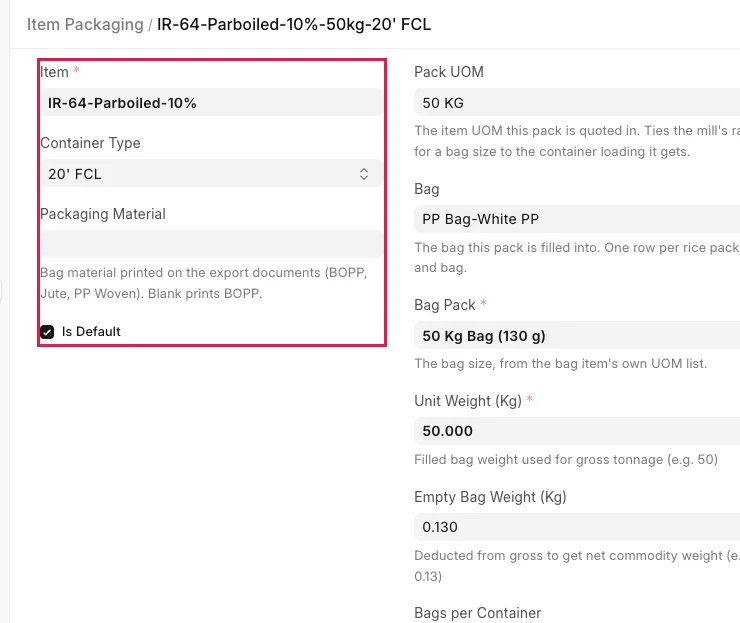
Look at the left column. The Item is the rice variant IR-64-Parboiled-10% and the Container Type is 20' FCL. Packaging Material is empty, so the documents show BOPP. Is Default is ticked.
-
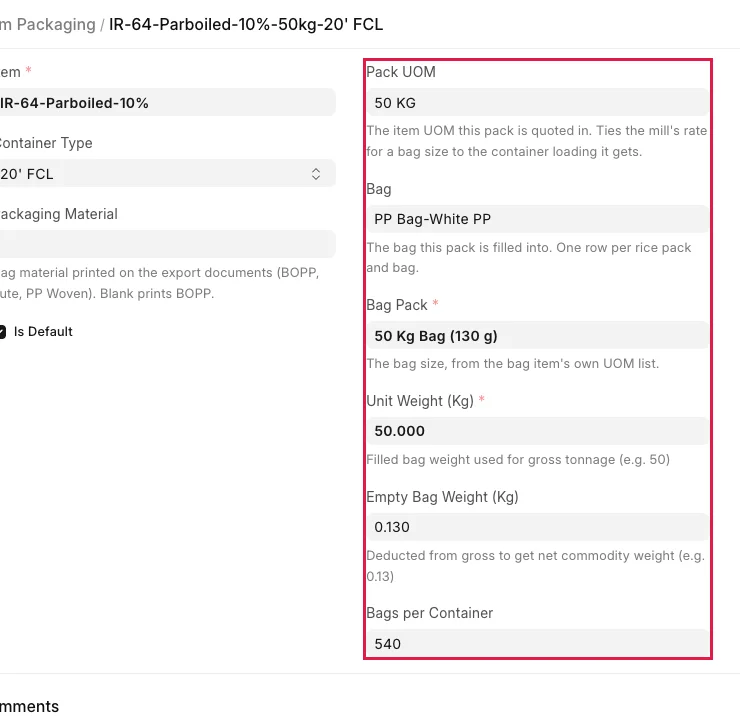
Look at the right column. The Pack UOM is 50 KG, the Bag is PP Bag-White PP and the Bag Pack is 50 Kg Bag (130 g). One filled bag weighs 50 kg, one empty bag weighs 0.13 kg, and 540 bags go in one 20' FCL.
Add your item packaging
-
Go back to the Item Packaging list and click Add Item Packaging.
-
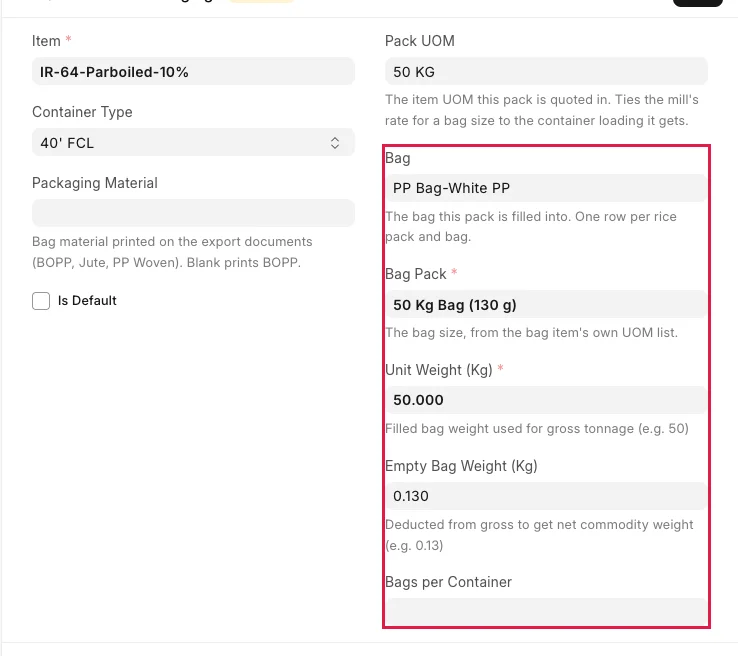
Fill the fields in the table below. The picture shows a 50 kg pack of the demo rice for a 40' FCL. Bags per Container is still empty: type the number of bags that one container takes.
-
Click Save. The system gives the record a name from the item, the pack weight, the bag and the container type, for example IR-64-Parboiled-10%-50kg-PP Bag-White PP-40' FCL. The demo record is older, so its name has no bag part.
| Field | What it does |
|---|---|
| Item | The rice item that is packed. |
| Container Type | 20' FCL, 40' FCL or 40' HC. Add one item packaging for each container type that you use. |
| Packaging Material | The bag material that the export documents show. The demo has the material BOPP in the list. If the field is empty, the documents show BOPP. |
| Is Default | Tick it for the usual packaging of the item. |
| Pack UOM | The unit of the rice that the mill quotes for this pack, for example 50 KG. |
| Bag | The bag item that the rice goes in. |
| Bag Pack | The bag size, from the units of the bag item, for example 50 Kg Bag (130 g). Set the Bag first. |
| Unit Weight (Kg) | The weight of one filled bag, for example 50. The system uses it for the gross weight. |
| Empty Bag Weight (Kg) | The weight of one empty bag, for example 0.13. The system takes it off the gross weight to get the net weight of the rice. |
| Bags per Container | How many bags go in one container, for example 540 for a 20' FCL. |
Check it worked
-
Add a costing for your rice, as in The costing: Deal and Cargo tabs. On the Cargo tab, in the Items table, select your item packaging in Packaging and type the number of Containers. You can also add an item row to a costing that you are working on. A costing that exists does not pick up a new item packaging by itself.
-
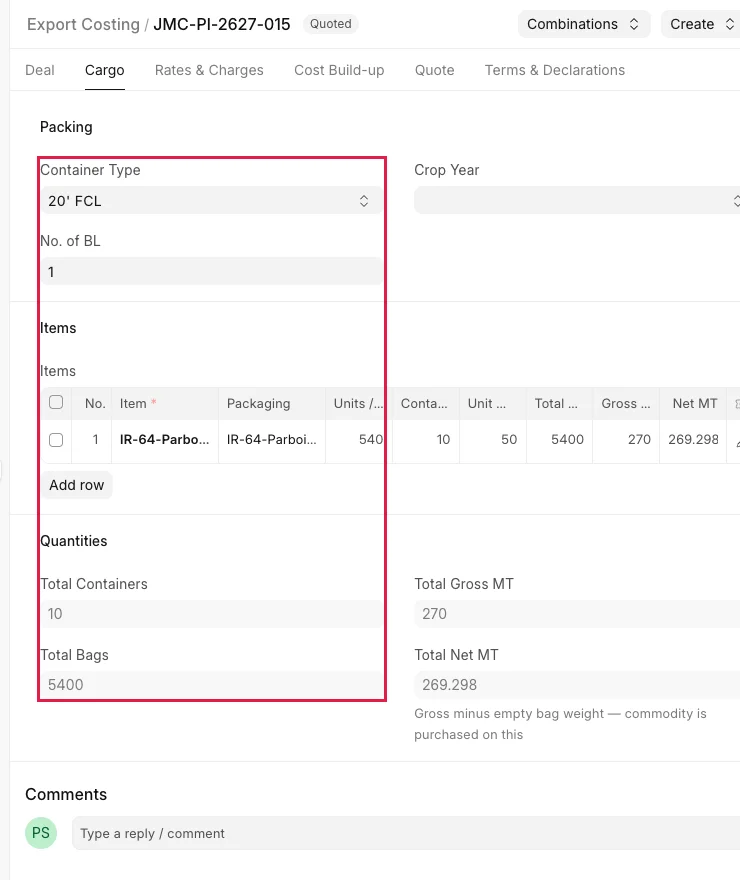
Look at Total Bags. It is Containers × Bags per Container.
In the demo, the costing JMC-PI-2627-015 has 10 containers of 20' FCL. It shows Total Bags 5400 (10 × 540). The demo costings with 2 containers show 1080 (2 × 540).
Good to know
- The system checks that the Bag Pack is a unit of the Bag, or of its template. If not, it does not save the record.
- The board and the costing find the item packaging from the rice item, the Pack UOM and the container type. If a variant has no item packaging, the system uses the item packaging of its template.
- The Pack UOM must also be in the UOMs table of the rice item. If it is not, the board ignores this item packaging and gives no warning.