
A container defect is one problem that a surveyor can find on an empty container, for example a hole or rust. The administrator keeps the list of defects. When the surveyor inspects the empty container, the surveyor selects the defects from this list, under each photo.
At the end of this page, your defect shows in the Front Defects field of a container inspection.
Before you start
- You need the System Manager, Purchase Manager or Stock Manager role to add a defect. The demo user Priya has these roles.
- The inspection agency (the roles ASI Manager and ASI Surveyor) can see the list, but cannot change it.
- The setup of the app adds eight defects. You do not need demo data to see them.
Steps
See the defects that exist
-
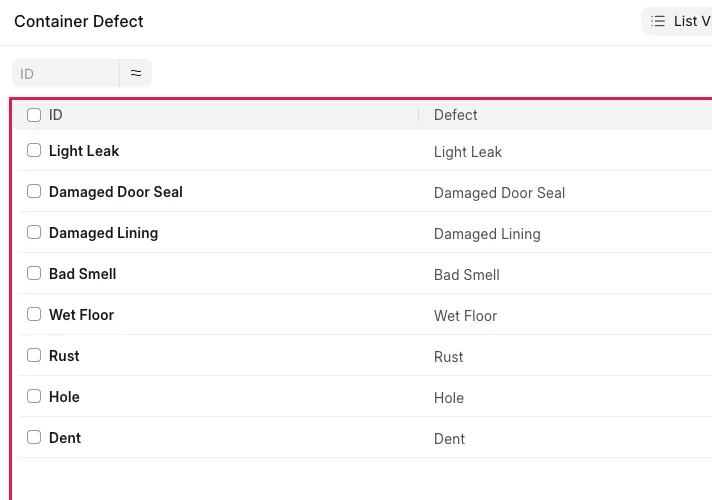
In the search bar, type Container Defect and open the list. The list has the defects that the setup adds: Dent, Hole, Rust, Wet Floor, Bad Smell, Damaged Lining, Damaged Door Seal and Light Leak.
Add your defect
-
Click Add Container Defect.
-
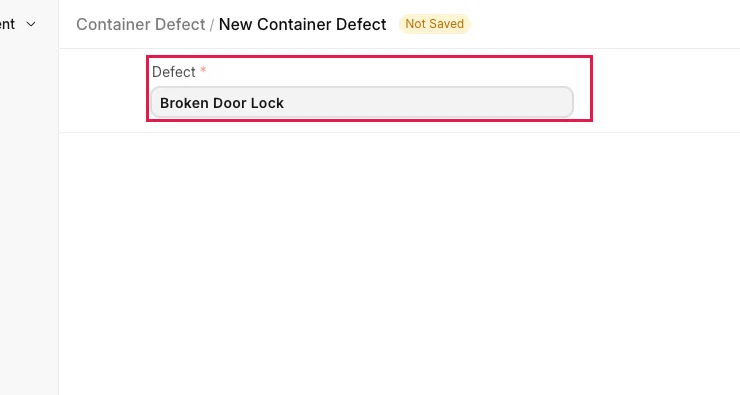
Type the name of the defect in Defect, for example "Broken Door Lock". Use a short name that the surveyor can read on a phone.
-
Click Save.
| Field | What it does |
|---|---|
| Defect | The name of the problem. It is also the name of the record, so each defect has a different name. |
Check it worked
-
In the search bar, type Container Inspection and open a container inspection in the Assigned step, for example CNI-2026-0007. In the Pending step, the Defects fields do not show.
-
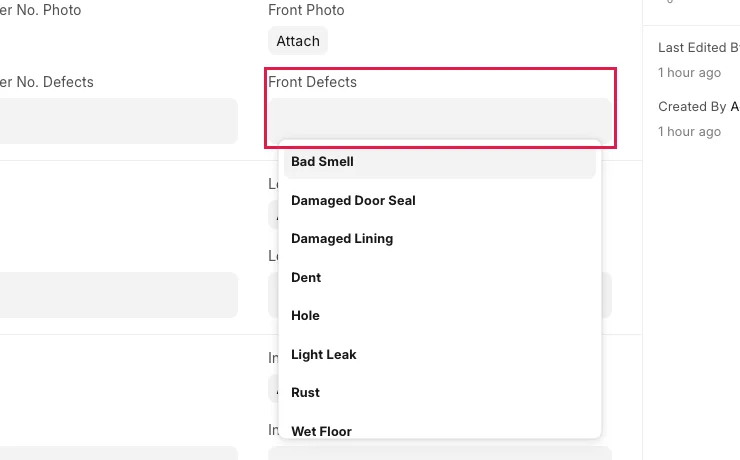
Click in the Front Defects field. The list shows all the defects, and your new defect is in it.
-
Press Escape to close the list without a change.
The surveyor uses the same list in all the Defects fields of the container inspection: Truck & Container No. Defects, Front Defects, Back Defects, Left Defects, Right Defects, Inside Defects, Light Test Defects and Lining Defects. See Inspect the empty container.
Good to know
- To fail the empty check, the surveyor must tag at least one defect on the container. So keep the list complete: a problem that is not in the list cannot be tagged.
- A field can have more than one defect, for example Hole and Rust in Inside Defects.